
Hello friends, today I’m here with a simple tutorial using which you’ll be able to activate Windows 8 easily. The method I’m going to share here will be 100% legal one and it will work for most of the users.
There are users who downloaded the preview version of Windows 8 and now they want to activate Windows 8 but theu are getting trouble in finding a simple guide. But now your search will end as I’m here with simple guide on how to activate Windows 8 easily.
As Imentioned in starting of this tutorial that I’m going to share a legal method here and for that you definitely need to purchase the license key from official Microsoft store.
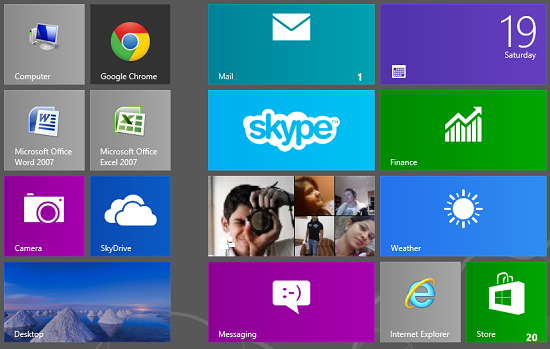
Information Regarding Windows 8 activator
Windows 8 was launched last year and in starting Microsoft provided it for free on the trial. Later when the first retail pack of Windows 8 was announced then Microsoft started providing the license keys to the users.
Users who still not have purchased they key from Microsoft are still running on the trial version. Now they can either buy the Windows 8 license key or alternatively they can download the Windows 8.1 preview.
Yes, just like Windows 8, Windows 8.1 is also available initially for trial and later it will be available with a price tag.
Now its up to you whether you wish to activate Windows 8 or download Windows 8.1 preview version which is available for free. Till now, Windows 8.1 has done good but still it needs a lot of improvements.
How to Activate Windows 8 easily
 Now I’m mentioning tutorial using which you’ll be able to activate Windows 8 easily but not for free.
You need to follow simple steps mentioned below,
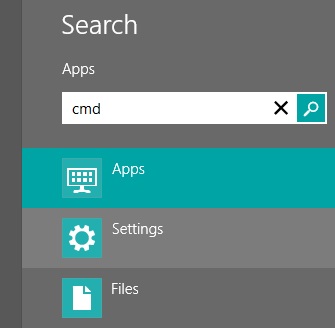
- Move your cursor on the right corner and get into the search tool to find’cmd’.
- You need to start cmd by selecting it from the searchresults.
- Now type ‘slui 3′ and hit enter button.
- It will bring the activator window to you where you need to enter the product license key which you purchased from Microsoft.
- Click on ‘Activate’ button and your Windows 8 will get activated.
That’s it! This is how you can activate Windows 8 easily. Be careful with fake methods and activators.


)
Leave a Reply